 DT
Smart water bottle vs app: which should you use?
A smart water bottle and a water tracking app solve the same problem in different ways. A bottle can measure what you drink from it, and an app only counts what you log, but an app covers every drink and costs nothing to try. For most people, it makes sense to start with an app and buy a bottle only if logging is what keeps failing.
We make WaterDrop, an app, so we are not neutral. Here is the comparison, including where a bottle is the better choice. We have not tested specific bottles for this article, and we do not list prices or models because they change.
Medical note: This is general information, not advice for you. Ask a clinician about your fluid intake if you have kidney, heart or liver disease, if you take medication that affects fluid balance, or if you were told to limit fluids.
Smart bottle vs app at a glance
| Smart water bottle | Water tracking app | |
|---|---|---|
| How drinks get counted | Sensor or cap in that bottle, depending on the model | You tap to log |
| Coffee, tea, soda, a glass at dinner | Not unless you add them by hand | You can log any drink |
| Needs charging | Often, or a battery | Only your phone |
| Upfront cost | You buy hardware | Often free to download |
| If you forget it at home | Nothing is counted | Your phone is with you |
| Cleaning | Check the maker's instructions for the electronics | Nothing to clean |
| Reminders | Depends on the model: light, sound or phone | Phone and watch notifications |
When a smart bottle makes sense
- You will not log by hand. If you have tried three apps and given up each time, automatic counting removes the very step that fails.
- You drink nearly everything from one bottle. The more of your water goes through it, the more accurate your total.
- A physical cue works for you. A bottle on your desk is a reminder without a notification. A glowing cap can be an extra nudge.
- You like gadgets. If the bottle itself gets you excited, that is a fair reason. Motivation counts for a lot.
When an app makes more sense
- You drink from many containers. A mug at home, a glass at lunch and a can in the afternoon all count, and a bottle sees none of them.
- Coffee and tea are a big part of your fluids. The NHS counts them: "Water, lower-fat milk and lower-sugar drinks, including tea and coffee, all count as part of your daily intake."
- You want to find out whether you need this at all. A week in a free app shows your real intake before you spend anything.
- You do not want another thing to charge and wash.
- Morning coffee at home, 8 fl oz: the app logs it, the bottle misses it.
- Bottle at your desk, 24 fl oz twice: both count it.
- Tea at 3:00 pm, 12 fl oz: the app logs it, the bottle misses it.
- Glass of water at dinner, 8 fl oz: the app logs it, the bottle misses it.
- Totals: the app shows 76 fl oz, and the bottle shows 48 fl oz.
Neither number is automatically right. The app depends on you remembering, and the bottle depends on you using it. On that example day, though, the bottle would have told you that you were 26 fl oz short of a 74 fl oz figure, when you were actually above it.
What to check before buying a smart bottle
If you do decide on a bottle, these questions will tell you more than the marketing page.
- How does it measure? Some use a sensor inside, and others a cap that tracks sips. Ask how accurate it is, and look for independent reviews, not only the maker's claims.
- Does it need an app and an account? Most connect to a phone app, so you may end up with an app anyway.
- Does it sync with Apple Health? This matters if you want your water alongside your other data.
- Can you log other drinks? Check that you can add a coffee by hand in its app.
- How do you clean it, and how long does the battery last? Read the maker's instructions first.
- Is there a subscription? Check whether any features need one, on top of the hardware.
How to make either one more accurate
Most errors in tracking come from habits, not from the technology. Whichever you use, a couple of small changes will make your total more honest.
- Measure your usual containers once. Most guesses about a glass are off. Our guide on how many ounces are in a glass shows how.
- Log straight after you drink, not at night. Evening logging relies on memory, and that is where drinks go missing.
- Use the fastest way to log. A widget or watch tap is more likely to happen than opening an app.
- Add drinks a bottle cannot see. Whichever bottle you use, add coffee, tea and glasses at meals by hand.
You can also use both, or neither
A normal bottle plus an app is the simple middle ground, and it may be all you need. Measure your bottle once, log a full bottle in one tap, and the bottle on your desk does the reminding.
- Measure your bottle once. Say it holds 24 fl oz.
- Goal: 74 fl oz.
- 74 divided by 24 is about 3 bottles.
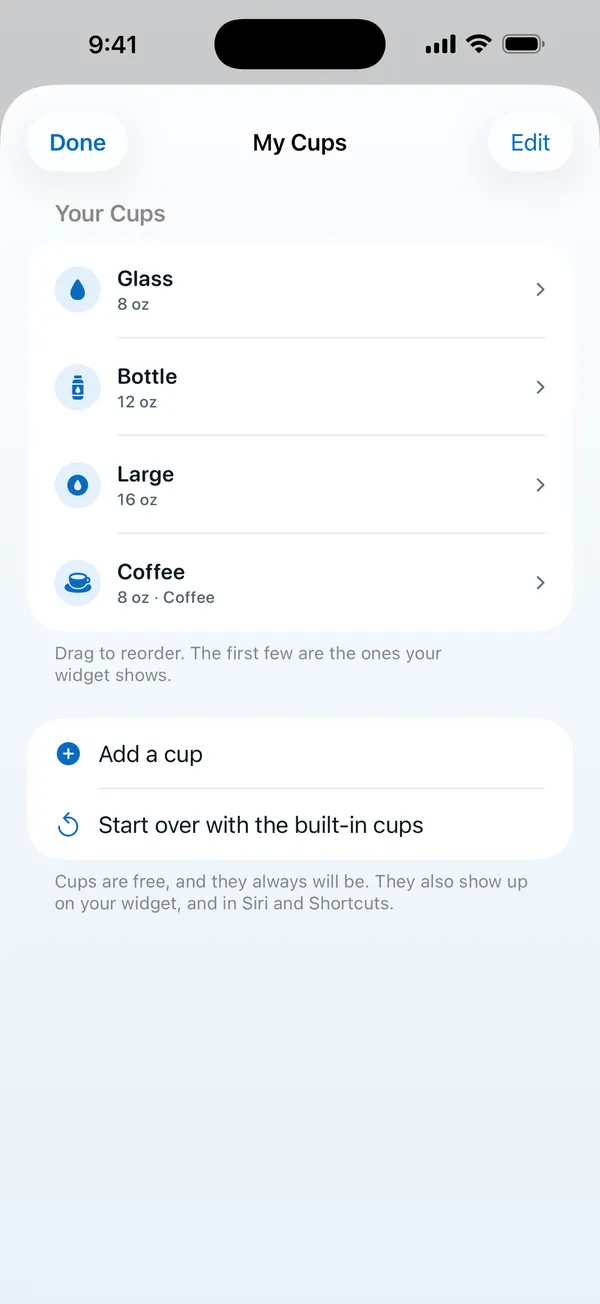
- After each refill, log 24 fl oz. In WaterDrop you can type any amount for free.
- Add a coffee or tea as a separate tap.
- Days 1 to 7: use an app and your current bottle.
- On day 7, count the days you logged at least most of your drinks.
- Five or more days: you do not need new hardware.
- Two or fewer: logging is your problem, so a smart bottle might be worth it.
What neither one can tell you
Both give you a count, but neither knows how much you need. The National Academies report says that "on a day-to-day basis, fluid intake, driven by the combination of thirst and the consumption of beverages at meals, allows maintenance of hydration status". Its figures of about 3.0 L of drinks for men aged 19 to 30 and 2.2 L for women are based on what healthy people consumed, and not on a requirement. Harvard Health points out that needs vary, so a goal from any app or bottle is a starting point. Try the water intake calculator for a first number, and how to remember to drink water for habits that work with or without a gadget.
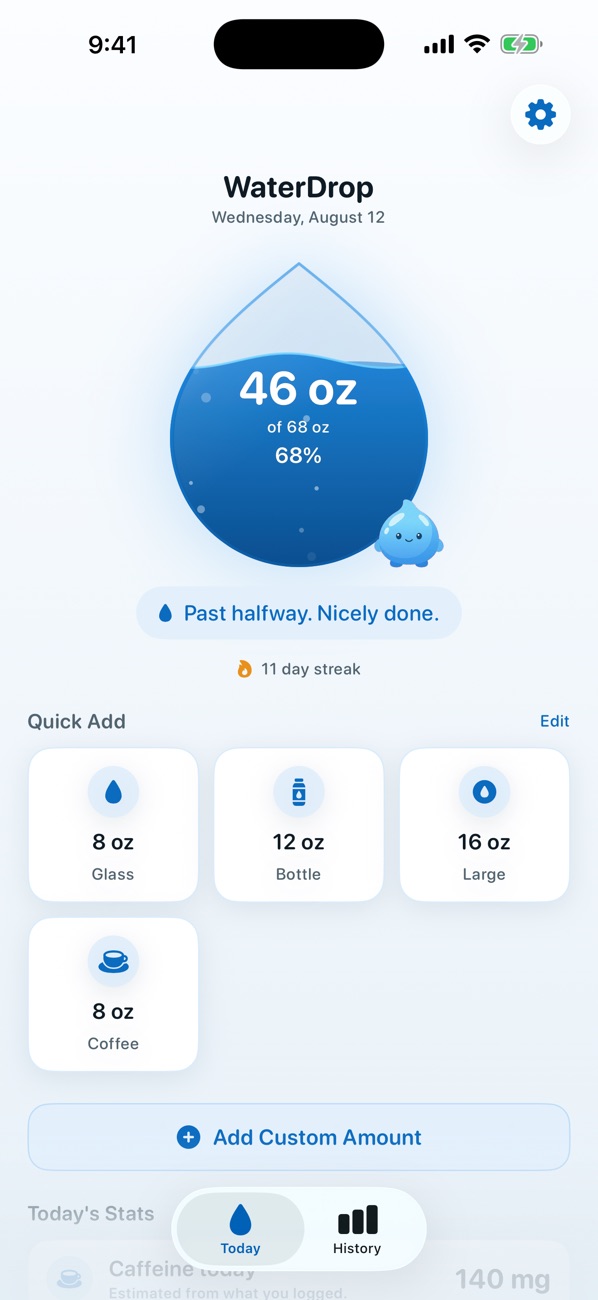
In WaterDrop, logging takes one tap, including from a Home Screen widget, the Lock Screen, Control Center and Apple Watch, all free. That is our answer to the main weakness of an app, which is that you forget to log.
Questions people ask
Are smart water bottles worth it?
They can be if you will not log drinks by hand and you drink almost everything from one bottle. If you drink from many containers, a bottle misses a lot. Try a free app for a week first, so you know your real intake before you buy.
Is a smart bottle more accurate than an app?
For what passes through the bottle, it can be, since it does not rely on your memory. It does not see coffee, tea or a glass at dinner, though. An app can cover every drink, but only if you log them.
Do I need an app with a smart water bottle?
Most smart bottles connect to a phone app to show your history. Check the maker's page before you buy, and see whether it needs an account and whether you can add other drinks by hand.
What is the simplest way to track water?
An ordinary bottle and a free app. Measure your bottle once, then log a full bottle in one tap. You could also go without an app and simply refill a marked bottle a set number of times each day.
Sources
- NHS: Water, drinks and hydration
- National Academies: Dietary Reference Intakes, Water
- Harvard Health: How much water should you drink?
Guides
- Choosing a water reminder app for iPhoneHow to pick the best water reminder app for iPhone: ratings measured on the App Store today, plus the six things that decide whether you keep using it.
- Does coffee count as water intake?Yes, coffee counts toward your daily water. The evidence, the caffeine limit, a verdict for every order from black to bulletproof, and seven counted days.
- How many ounces is a glass of water?How many ounces is a glass of water? 8 fl oz by convention, but real glasses vary. See a size table, how to measure yours and what 8 glasses means.
- How much is 3 liters of water?How much is 3 liters of water? 101.4 fl oz, 12.7 cups or 6 standard bottles. See the conversion table, a sample day and who it suits.
- How much water should I drink a day?How much water should you drink a day? The intakes health bodies publish, in litres and ounces, why 8 glasses is a rule of thumb, and when to drink more.
- How to remember to drink waterTie water to cues you already have, then add reminders that stop when you are done. Eight setups with times and amounts: cues, Siri, bottle, app.
- A Plant Nanny alternativeLooking for a Plant Nanny alternative? Compare water trackers by their own listings, what to try before you switch, and how to move across.
- Water intake calculatorA free water intake calculator: enter your weight and activity for a daily number in ounces, liters and cups, and see which part is official.
- How much water to drink when pregnantACOG's 8 to 12 cups a day, the National Academies' liters, and seven pregnancy drinking plans with clock times in ounces and milliliters.
- A Waterllama alternativeLooking for a Waterllama alternative? Compare other iPhone water trackers by their own listings, and see when you should simply stay with Waterllama.