 DT
Waterllama alternative: which water app suits you
If you want a Waterllama alternative, the right one depends on why you are leaving. Waterllama is a well-liked app, at 4.87 stars from 163,858 US ratings on 30 October 2026. People usually look elsewhere because they want something plainer, something without characters and challenges, or a different mix of free features.
We make WaterDrop, which is one of the alternatives, so read this with that in mind. Everything about other apps below comes from their own App Store listings, and we have not tested them for this article.
What Waterllama is, by its own listing
Waterllama's listing highlights smart reminders during your day, more than 10 healthy challenges, an Apple Watch app, widgets for the Home Screen, Lock Screen and Control Center, and Apple Health sync. Its style is the main thing: it is cute and game-like, built to make drinking water feel fun. If that is working for you, there is no need to switch.
Waterllama alternatives compared
| App | Rating | Ratings | Style |
|---|---|---|---|
| Waterllama | 4.87 | 163,858 | Playful, with challenges |
| Plant Nanny | 4.72 | 106,605 | You grow plants as you drink |
| Water Reminder (VGFIT) | 4.73 | 79,153 | Goal calculator and nutrition data |
| WaterMinder | 4.75 | 35,594 | Goal from body weight, custom cups |
| My Water | 4.65 | 24,248 | Reminders and Apple Health |
| WaterDrop (ours) | 2.0 | 1 | Plain tracker, reminders stop at your goal |
Those ratings say many people are happy with these apps. They do not say which one you will still open next month. WaterDrop's single rating of 2.0 tells you very little, except that it has almost no public track record yet, and you should weigh that.
Pick by why you want to leave
- You want a plain tracker with no characters. Look at WaterDrop, or My Water, which lists reminders, Apple Watch and Apple Health. WaterDrop's main screen is a progress drop, your cups and your total.
- You still want something playful. Plant Nanny swaps the llama for plants you grow as you drink. Its listing says a subscription removes ads.
- You want a goal based on your weight. WaterMinder sets a goal from your body weight or your own number. WaterDrop has a weight-based suggestion too, and you can move the goal yourself. You can also try our water intake calculator with no app at all.
- You want custom drink sizes. WaterMinder lists custom cups. In WaterDrop, you can type any amount for free, and saving custom cups is part of Premium.
- You log more than water. VGFIT's listing says it writes water, caffeine, protein, calories and other drink data to Apple Health. WaterDrop counts coffee, tea, juice, milk, soda and alcohol at their own rate.
How WaterDrop differs from Waterllama
| Waterllama (its listing) | WaterDrop | |
|---|---|---|
| Style | Playful, with characters and challenges | Plain, no characters to look after |
| Apple Watch app | Yes | Yes, free |
| Widgets | Home Screen, Lock Screen, Control Center | Home Screen, Lock Screen, Control Center, free |
| Apple Health | Sync | Off by default, optional, free |
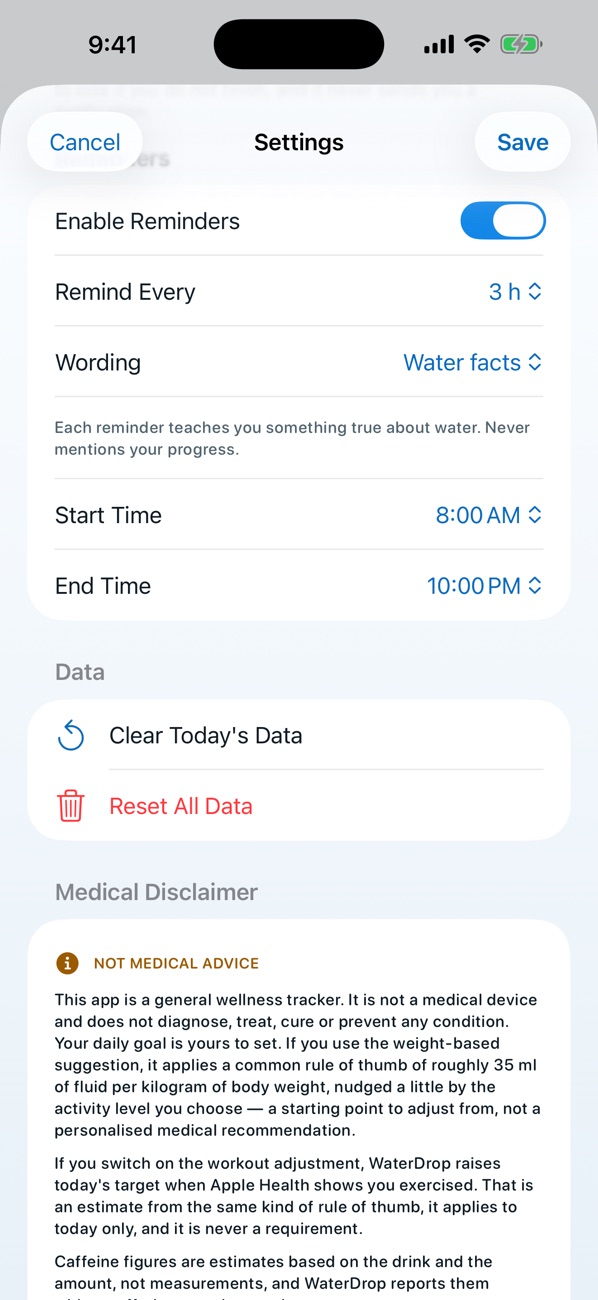
| Reminders | Smart reminders | Reset when you log, stop at your goal |
| Editing past entries | Not stated in the listing | Free |
| Account needed | Not stated in the listing | No |
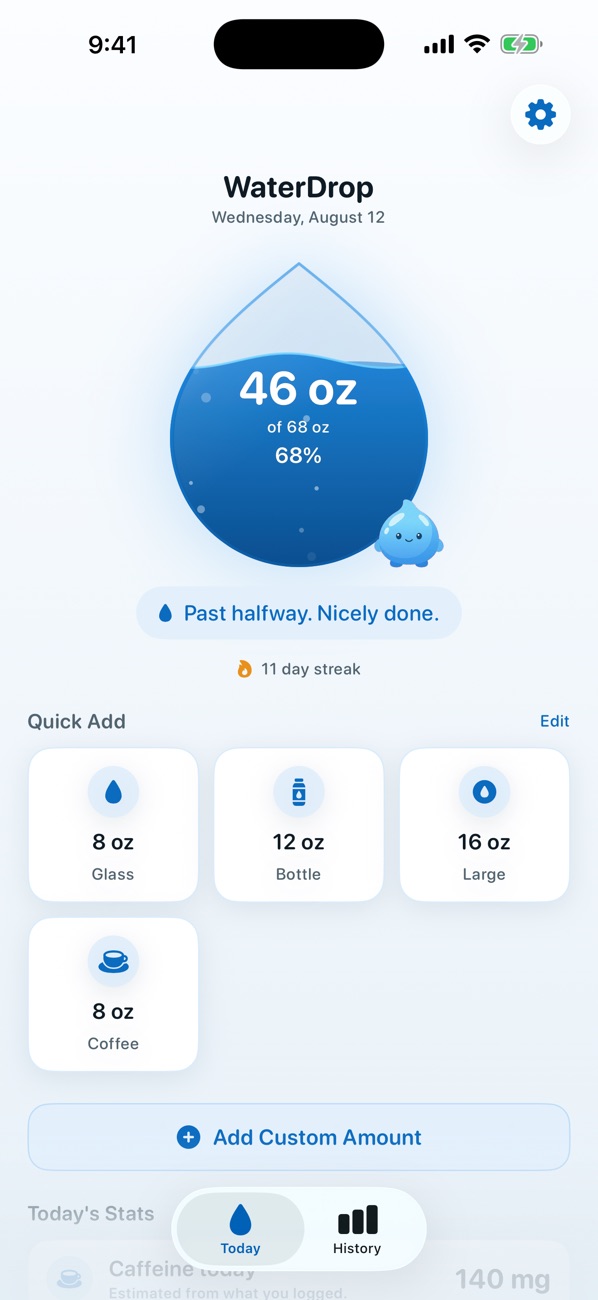
The difference we care most about is the reminders. In WaterDrop, logging a drink resets the timer, and once you reach your goal, reminders stop for the day. Free covers logging, reminders, streaks, every day of your history, editing, widgets, the Apple Watch app and Apple Health. Premium adds custom cups, weekly and monthly trends with a monthly recap, CSV export and alternate app icons.
How to switch without losing your habit
Your habit is more valuable than your history. Moving apps is a good moment to reset your goal and reminders, because a schedule you ignore is not helping.
- Check for a subscription first: in Settings, tap your name, then Subscriptions.
- If you pay for one you will stop using, cancel it there.
- Note your current goal and the hours you get reminders.
- Install the new app and set the same goal, or a fresh one.
- Add today's drinks by hand, so your first day counts.
- Goal: 68 fl oz.
- Waking hours: 8:00 am to 10:00 pm, which is 14 hours.
- Reminders every 3 hours: at most about 5 a day.
- With a 16 fl oz bottle, that is 80 fl oz, more than your goal, so reminders stop before the last one.
What you give up with a plain tracker
Being fair means saying what WaterDrop does not have. There are no characters, no challenges with friends or goals to unlock in the Waterllama style, and nothing that reacts with a personality when you drink. There is also far less of a public record: one rating, compared with over 163,000. If your history in Waterllama matters to you, check Apple Health first, since its listing mentions sync, and see what you can bring across. What you gain is a quieter app that gets out of the way once you have logged, which is not what everyone wants from a habit tracker.
If the fun is what kept you drinking
Here is an honest reason not to leave: if the llama is what got you to drink, a plain tracker may not hold you. Before you switch, ask what your real goal is. If you only need help remembering, a plain app can be enough. If you need a reason to care, a game can do a better job, and that is a perfectly good reason to keep one. Our guide on how to remember to drink water has ideas that work with any app, or with none.
Do you need an app at all?
Not necessarily. A marked bottle works, if you fill it the same number of times each day. An app earns its place by counting for you, by reminding you, and by logging from your wrist or Lock Screen.
- Measure your bottle once. Say it holds 24 fl oz.
- Goal: 74 fl oz, the National Academies drinks figure for women aged 19 to 30.
- 74 divided by 24 is about 3 bottles.
- Fill it at breakfast, lunch and mid-afternoon. That is your whole system.
The National Academies figures are starting points, and the NHS and Harvard Health give different ones because they count different things. See how much water you should drink for how they fit together, and how to choose a water reminder app for six things to check in any app.
Medical note: This is general information, not advice for you. Ask a clinician about your fluid intake if you have kidney, heart or liver disease, if you take medication that affects fluid balance, or if you were told to limit fluids.
Questions people ask
What is the best alternative to Waterllama?
It depends on why you are leaving. For something plainer, look at WaterDrop or My Water. For something still playful, Plant Nanny is built around growing plants. For custom cups and a weight-based goal, WaterMinder lists both.
Is Waterllama free?
It is free to download, and its listing mentions a free app with reminders. Which features need payment can change, so check the current App Store listing and what the app shows you before paying.
Is there a water tracker without a cute character?
Yes. WaterDrop has no character to look after: it shows your total, your goal and your cups. My Water's listing also describes a plain tracker with reminders. Try it for a week.
How do I cancel a Waterllama subscription?
If you subscribed through the App Store: in Settings, tap your name, tap Subscriptions, tap the subscription, then tap Cancel Subscription. Apple says a missing Cancel button or a red expiration message means it is already canceled.
Sources
- Waterllama on the US App Store
- Plant Nanny on the US App Store
- WaterMinder on the US App Store
- My Water on the US App Store
- National Academies: Dietary Reference Intakes, Water
- NHS: Water, drinks and hydration
- Apple: Cancel a subscription
Guides
- Choosing a water reminder app for iPhoneHow to pick the best water reminder app for iPhone: ratings measured on the App Store today, plus the six things that decide whether you keep using it.
- Does coffee count as water intake?Yes, coffee counts toward your daily water. The evidence, the caffeine limit, a verdict for every order from black to bulletproof, and seven counted days.
- How many ounces is a glass of water?How many ounces is a glass of water? 8 fl oz by convention, but real glasses vary. See a size table, how to measure yours and what 8 glasses means.
- How much is 3 liters of water?How much is 3 liters of water? 101.4 fl oz, 12.7 cups or 6 standard bottles. See the conversion table, a sample day and who it suits.
- How much water should I drink a day?How much water should you drink a day? The intakes health bodies publish, in litres and ounces, why 8 glasses is a rule of thumb, and when to drink more.
- How to remember to drink waterTie water to cues you already have, then add reminders that stop when you are done. Eight setups with times and amounts: cues, Siri, bottle, app.
- A Plant Nanny alternativeLooking for a Plant Nanny alternative? Compare water trackers by their own listings, what to try before you switch, and how to move across.
- Smart water bottle or app?A smart water bottle measures what passes through it, and an app counts every drink you log. Compare them, and see when a bottle is worth buying.
- Water intake calculatorA free water intake calculator: enter your weight and activity for a daily number in ounces, liters and cups, and see which part is official.
- How much water to drink when pregnantACOG's 8 to 12 cups a day, the National Academies' liters, and seven pregnancy drinking plans with clock times in ounces and milliliters.